Download Debian distribution: https://www.debian.org/distrib/
Usually torrents are faster to download instead of HTTP.
Download it using torrents: https://www.debian.org/CD/torrent-cd/
For Macbook Pro M series (M1/M2… etc): Download torrent available in the category “DVD/USB” -> arm64.
Installation on VMWare Fusion:
Open VMWare Fusion App then, Click “File” -> “New” -> Double click “Install from disc or image” -> “Use another disc or disc image”.
- File -> New:
- Double click “Install from disc or image”:
- Use another disc or disc image:
-
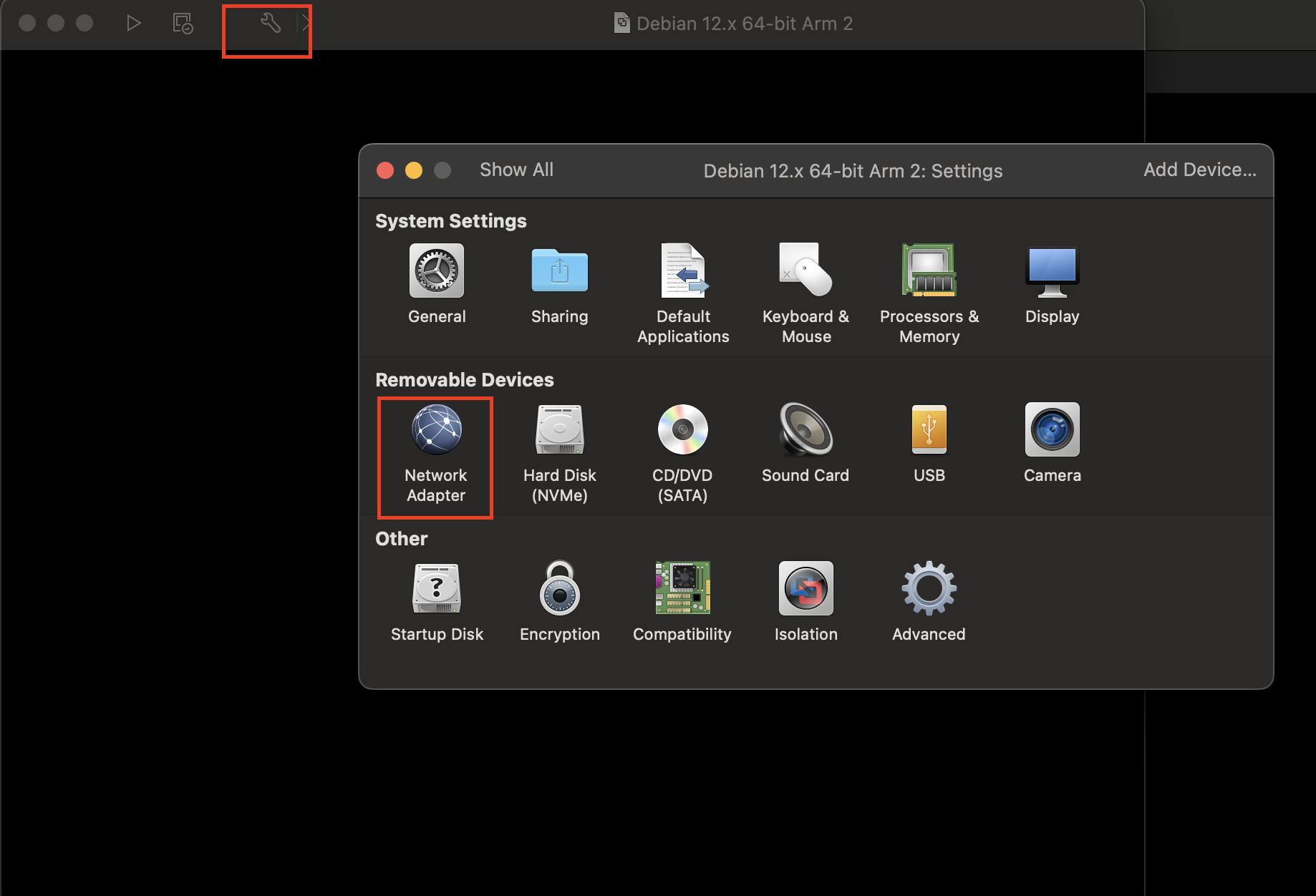
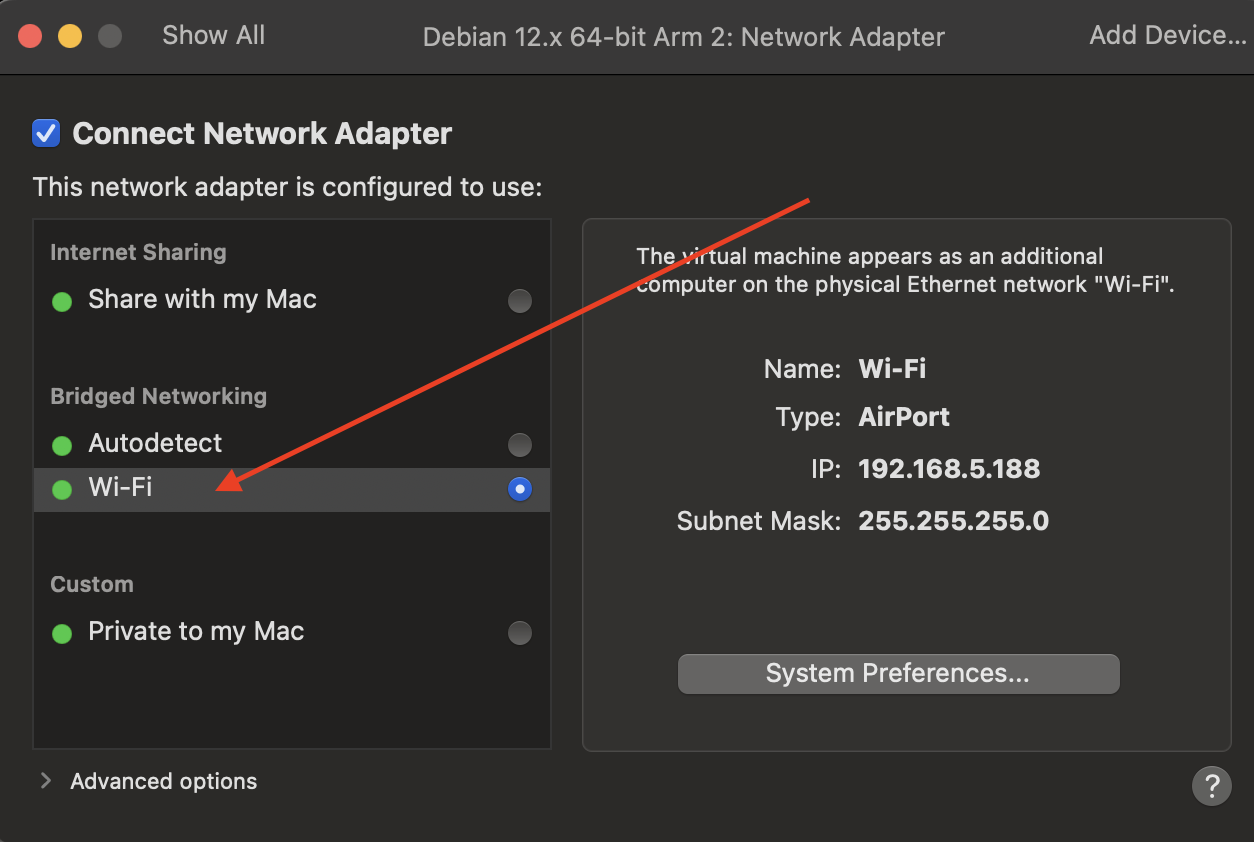
To make The virtual machine appears as an additional computer on the physical Ethernet network “Wi-Fi” you need to update “Network Adapter” settings.
-
Hence Click on “Settings Icon”, it looks something like this: 🔧.
Network Adapter:
Select Bridged network wifi:
After that start with Normal Installation process. Below screenshots are reference only. Select Configuration as per your need.
-
Use Graphical Install